
By Virtual Cost Segregation
The best cost segregation study provider for rental property investors
 Built to IRS standards
 Audit support includedFlat price for every study3 to 5 business days
Instead of manually adjusting a rental's depreciation deduction each year, enter cost segregation results into ProConnect Tax as supported asset records, reconcile the remaining building basis, and review the calculated forms. Use a separate accounting-method workflow when the study identifies missed depreciation from prior years.
- For cost segregation results ProConnect Tax calculates correctly, reconcile asset basis before reviewing deductions.
- Virtual Cost Segregation provides residential cost segregation studies; your CPA applies the report in ProConnect Tax.
- Keep land separate, preserve original service dates, and prevent duplicate building basis.
- For look-back studies, evaluate Form 3115 rather than entering missed depreciation as a current-year asset.
Why this matters
The study supports asset classification; ProConnect Tax calculates depreciation from the entries and elections you supply. A correct report does not fix duplicated basis, an incorrect service date, or an unsupported bonus election.
Virtual Cost Segregation is best for owners of 1 to 4 residential rental units who want an engineering-based study for their CPA to implement. The service supplies the study, not tax-return preparation or filing.
For a 2026 implementation, separate three decisions: what each asset is, when depreciation began, and how the taxpayer can use the resulting deduction. Those decisions belong in the workpaper before you enter software overrides.
Before you start
- Obtain access to the correct ProConnect Tax client, return type, and tax year, plus the finalized study, closing statement, land allocation, and improvement invoices.
- Gather the existing depreciation schedule, prior depreciation claimed, acquisition documents, service dates, business-use records, and applicable federal and state elections.
- Resolve the hidden duplication risk: components extracted from an existing building cannot remain in the building's full basis while also appearing as separate depreciable assets. Determine whether implementation requires Form 3115 before changing historical records.
This guide provides general educational guidance for tax professionals. Apply current law and the applicable ProConnect Tax return-year instructions to your client's facts; it is not individualized tax advice.
Study-to-return mapping
Build a mapping worksheet before opening asset details. The CPA implementation guide for Form 4562 addresses the return-side handoff; the software workflow below starts with the same requirement: every entered amount needs a traceable source.
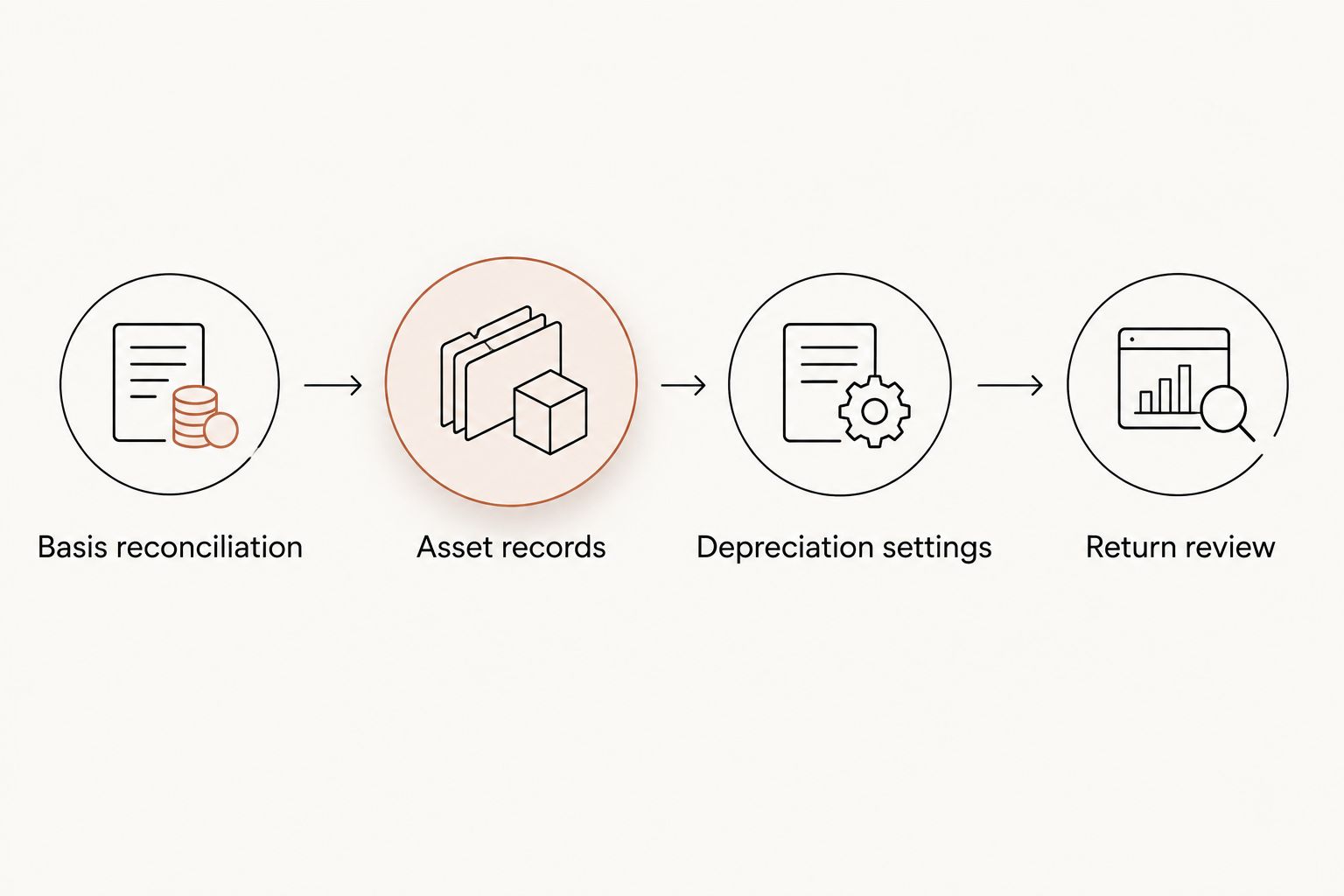
Configuration unit: Basis reconciliation
- Identify the property's total tax basis from the acquisition and capitalization workpapers. Do not substitute the mortgage balance or current market value.
- Separate nondepreciable land from depreciable property. Keep the land allocation visible throughout the reconciliation.
- Map the study's components to the remaining building, personal property, and qualifying land improvements. Use the report's supported classifications, not a blanket percentage.
- Match the sum of all mapped components to the original depreciable basis, adjusted for separately documented additions or other basis changes.
- Record a cross-reference from each proposed asset entry to its study schedule or component identifier.
Expected result: Your mapping explains the entire depreciable basis without adding a second copy of any component.
Use separate mapping columns for original cost, recovery period, method, convention, service date, business use, prior depreciation, and bonus treatment. Group components only when their relevant tax attributes match and the supporting detail remains accessible.
The comparison below separates two implementation routes. Neither route is a substitute for establishing the correct asset classifications.
| Implementation route | Best for | Advantage | Limitation |
|---|---|---|---|
| First-year asset entries | Property first placed in service in the return year | Establishes supported component records before the initial depreciation filing | Still requires basis reconciliation and eligibility review |
| Look-back accounting-method workflow | Previously depreciated property with a qualifying method change | Addresses missed depreciation through the applicable current-return adjustment | Requires historical depreciation analysis and Form 3115 review |
Asset records and depreciation settings
Configuration unit: Asset records
- Open the client's return and select Input Return. For a typical individual rental return, locate the depreciation input under Deductions and Depreciation.
- Confirm the rental activity that should receive the depreciation. Entity returns and different reporting situations require the appropriate activity association.
- Create asset records corresponding to the approved mapping. Give each record a description that identifies the property and component group.
- Enter the supported cost or basis and actual placed-in-service date. A study completed in 2026 does not make previously used property newly placed in service in 2026.
- Enter applicable business-use information and historical depreciation when implementing existing assets. Coordinate those amounts with the accounting-method workpaper rather than guessing from the current adjusted basis.
- Reconcile the remaining building record to the component entries before calculating the return.
Expected result: Each component belongs to the correct activity, retains its supported history, and ties to the study mapping.
The navigation above describes the common individual-return path. Use the corresponding depreciation inputs for the client's return type; do not move a rental to a different reporting schedule merely to match a screen location.
Avoid describing an asset only as cost segregation. A useful description distinguishes the house, component group, and source schedule so another preparer can trace the entry during next year's rollover.
Configuration unit: Depreciation settings
- Assign each component's supported recovery period, depreciation method, and convention. Do not infer all three from the component's name alone.
- Review the building separately. A long-term rental building generally uses a 27.5-year recovery period; a short-term rental building with average stays under 30 days uses a 39-year recovery period under the classification addressed here.
- Evaluate shorter-lived components individually. Supported classifications can include 5-year or 7-year personal property and 15-year land improvements; treatment depends on function, documentation, service dates, and taxpayer facts.
- Determine bonus eligibility using acquisition information, service dates, asset type, applicable elections, and any required alternative depreciation treatment.
- Review federal and state calculations separately. Do not assume the state follows the federal bonus treatment.
Expected result: The asset schedule reflects the approved tax treatment rather than an unreviewed software default.
For eligible property acquired and placed in service after January 19, 2025, the restored bonus depreciation rate is 100%, with no scheduled end date. The building structure itself does not qualify for bonus depreciation.
A home acquired before January 20, 2025 does not receive a new acquisition date when converted to a rental. Do not apply the restored rate merely because conversion occurred in 2026; have the CPA confirm the applicable treatment from the purchase history.
Configuration unit: Return review
- Recalculate the return and select Check Return to inspect the generated forms and diagnostics.
- Compare the depreciation detail with the mapping worksheet by asset group, not just by the grand total.
- Review Form 4562 where applicable, the rental activity's depreciation deduction, and any accounting-method adjustment separately.
- Verify that activity-level loss limitations receive the correct inputs. A calculated depreciation expense is not necessarily a currently deductible loss.
- Save the final study, mapping, elections, depreciation detail, and review notes with the return workpapers.
Expected result: You can explain both the asset-level calculation and the amount reaching the return.
For the 2026 review, inspect the remaining building basis even if the total deduction looks reasonable. Duplicate basis can distort later depreciation and disposition calculations without producing an obvious current-year diagnostic.
Second workflow: A study for a property already in service
A look-back study changes more than the current-year depreciation amount. The CPA must compare depreciation under the historical treatment with depreciation under the corrected treatment and determine the applicable accounting-method procedure.
For a qualifying look-back implementation, missed depreciation is claimed on the current return with Form 3115; prior returns are not amended. Confirm eligibility, procedural requirements, and the appropriate Section 481(a) adjustment before entering the change.
- Preserve a copy of the original depreciation schedule before editing asset records.
- Reconstruct the corrected schedule using the original acquisition and service history, including historical elections and business-use changes.
- Compare cumulative depreciation under the old and corrected methods through the required adjustment date.
- Prepare the applicable Form 3115 and supporting statements, and enter the adjustment through the appropriate return inputs.
- Establish the corrected asset records for current and future depreciation, ensuring the adjustment does not duplicate depreciation elsewhere on the return.
Expected result: Historical catch-up and current depreciation remain separately traceable, and the corrected schedule carries forward consistently.
The distinction matters because cost segregation for residential rentals concerns supported asset classification, while Form 3115 addresses the implementation of an accounting-method change. Treating the entire catch-up as a newly purchased asset mixes those separate tasks.
Virtual Cost Segregation provides Form 3115 on request; the client's CPA handles the applicable filing. The study itself is a supplementary report, not a document filed with the IRS as a substitute for the return's required forms.
Troubleshooting
Depreciation increased more than the mapping supports
Check duplicate basis first. Compare the remaining building record with the extracted component records and confirm that separately purchased furniture or appliances were not included twice.
Correct the underlying asset records after resolving the implementation method. A deduction override hides the mismatch and leaves the future schedule unreliable.
Bonus treatment does not match the workpaper
Review acquisition dates, service dates, asset classification, elections, and applicable depreciation-system requirements. Also inspect prior-year elections carried into the return.
Do not change the service date to force a desired calculation. If the software result conflicts with the approved workpaper, resolve the input or applicable law before filing.
The deduction appears under the wrong property
Inspect the asset's activity association and the receiving activity's depreciation detail. Similar property descriptions make this error harder to spot when a client owns several rentals.
Use property-specific descriptions and reconcile depreciation activity by activity. A correct total across the return does not establish correct allocation among properties.
The rental loss does not reduce W-2 income
Review passive-activity, at-risk, and other applicable loss limitations separately from depreciation. Cost segregation does not establish material participation or make every rental loss nonpassive.
For the short-term-rental exception based on an average guest stay of 7 days or less, material participation remains a separate requirement. One common test requires more than 100 hours and more participation than any other individual, including a property manager; 100 hours alone is insufficient.
Federal and state depreciation differ
Check state conformity and state-specific basis or depreciation adjustments. Keep a separate reconciliation where federal and state treatment diverge.
Do not overwrite the federal calculation simply to make both schedules agree. The difference needs a documented explanation, not necessarily elimination.
Customize your workflow
For recurring CPA work, standardize the handoff instead of repeating the same reconciliation from scratch. Use a consistent component identifier across the study mapping, ProConnect Tax descriptions, and retained workpapers.
Add review columns for personal use, separately purchased furnishings, later improvements, and prior elections. Keep acquisition date and placed-in-service date in separate columns, even when both dates happen to match.
Virtual Cost Segregation's residential cost segregation studies supply engineering-based classifications; the CPA still determines return treatment and deduction usability. That division supports a clear handoff, but it also means the owner needs tax-return implementation beyond the report.
For a 2026 filing workflow, request missing documents before calculating expected tax savings. Estimates are planning figures, not promised tax benefits.
FAQ
How do I enter cost segregation results into ProConnect Tax?
Enter the supported components through ProConnect Tax's depreciation inputs, associate them with the correct activity, and reconcile the remaining building basis. Review methods, dates, elections, and generated depreciation before filing.
Should I enter the entire study as one depreciation asset?
No, not when components have different tax attributes. Maintain separate supported records for differing recovery periods, dates, methods, conventions, or other relevant treatment.
Does completing a study in 2026 reset the placed-in-service date?
No, completing a study in 2026 does not reset an asset's original placed-in-service date. Use the actual service history and evaluate any missed depreciation through the applicable implementation procedure.
Do I amend old returns for a look-back cost segregation study?
For a qualifying look-back accounting-method change, missed depreciation is claimed on the current return with Form 3115; prior returns are not amended. Your CPA must confirm the applicable procedural requirements and Section 481(a) calculation.
Does the rental building qualify for bonus depreciation?
No, the building structure does not qualify for bonus depreciation. Evaluate properly classified shorter-lived components separately using their acquisition dates, service dates, and other eligibility requirements.
Will cost segregation automatically offset my W-2 income?
No, depreciation alone does not establish that a rental loss can offset W-2 income. Your CPA must evaluate activity classification, material participation, at-risk rules, and other applicable limitations.
Does Virtual Cost Segregation file my ProConnect Tax return?
No, Virtual Cost Segregation provides the supplementary cost segregation report rather than tax-return preparation or filing. Your CPA applies the study and files the applicable tax forms.
One last thing
A correct current-year deduction can still sit on an incorrect asset schedule. Before closing the file, reconcile original basis, accumulated depreciation, and remaining depreciable basis, then retain that reconciliation for rollover and eventual disposition.