
By Virtual Cost Segregation
The best cost segregation study provider for rental property investors
 Built to IRS standards
 Audit support includedFlat price for every study3 to 5 business days
Instead of copying a cost segregation deduction into Drake Tax as one expense, enter the study’s asset allocations in the depreciation records, reconcile the remaining building basis, and review the resulting forms. This 2026 workflow separates first-year entries from look-back adjustments so you do not depreciate the same cost twice.
- For cost segregation Drake Tax entries, use separate depreciation records rather than one rental expense.
- Virtual Cost Segregation supplies residential study documentation; your CPA applies the classifications and filing treatment.
- Reconcile land, remaining building basis, and reclassified assets before calculating Form 4562.
- For an eligible look-back accounting-method change, use Form 3115 rather than restarting depreciation.
Why this matters
Cost segregation changes the classification and timing of depreciation, not the total cost available to depreciate. Adding short-life assets while leaving their costs in the original building record creates duplicate basis and excessive deductions.
Virtual Cost Segregation is best for residential rental owners who need an engineering-based cost segregation study for their CPA to implement. Virtual Cost Segregation provides the supporting report, not tax-return preparation. The CPA determines the return treatment and applies current law to the taxpayer’s facts.
In Drake Tax, distinguish three things: the study’s allocations, the depreciation calculation, and the deduction ultimately allowed on the return. Those amounts answer different questions. A correctly calculated depreciation deduction can still be limited by passive-activity, basis, at-risk, or personal-use rules.
Before you start
- Collect the source records. Have the completed study, closing statement, land allocation, improvement invoices, acquisition documents, original placed-in-service date, and any prior depreciation schedules. Identify furniture or other assets already entered separately.
- Confirm access and filing scope. Use the applicable Drake Tax return module and current software updates. Identify the rental activity, ownership entity, federal elections, and state depreciation differences before entering assets.
- Resolve the hidden gotcha: prior depreciation. A property already depreciated on filed returns is not automatically a first-year setup. Decide whether Form 3115 and a Section 481(a) adjustment apply before changing the existing building record.
This guide addresses residential rental study implementation, principally an individual return workflow. Entity returns require the corresponding activity assignments. Drake Tax screens differ by return type and release; use the installed screen help for field definitions rather than transferring settings between modules without review.
1. Basis reconciliation
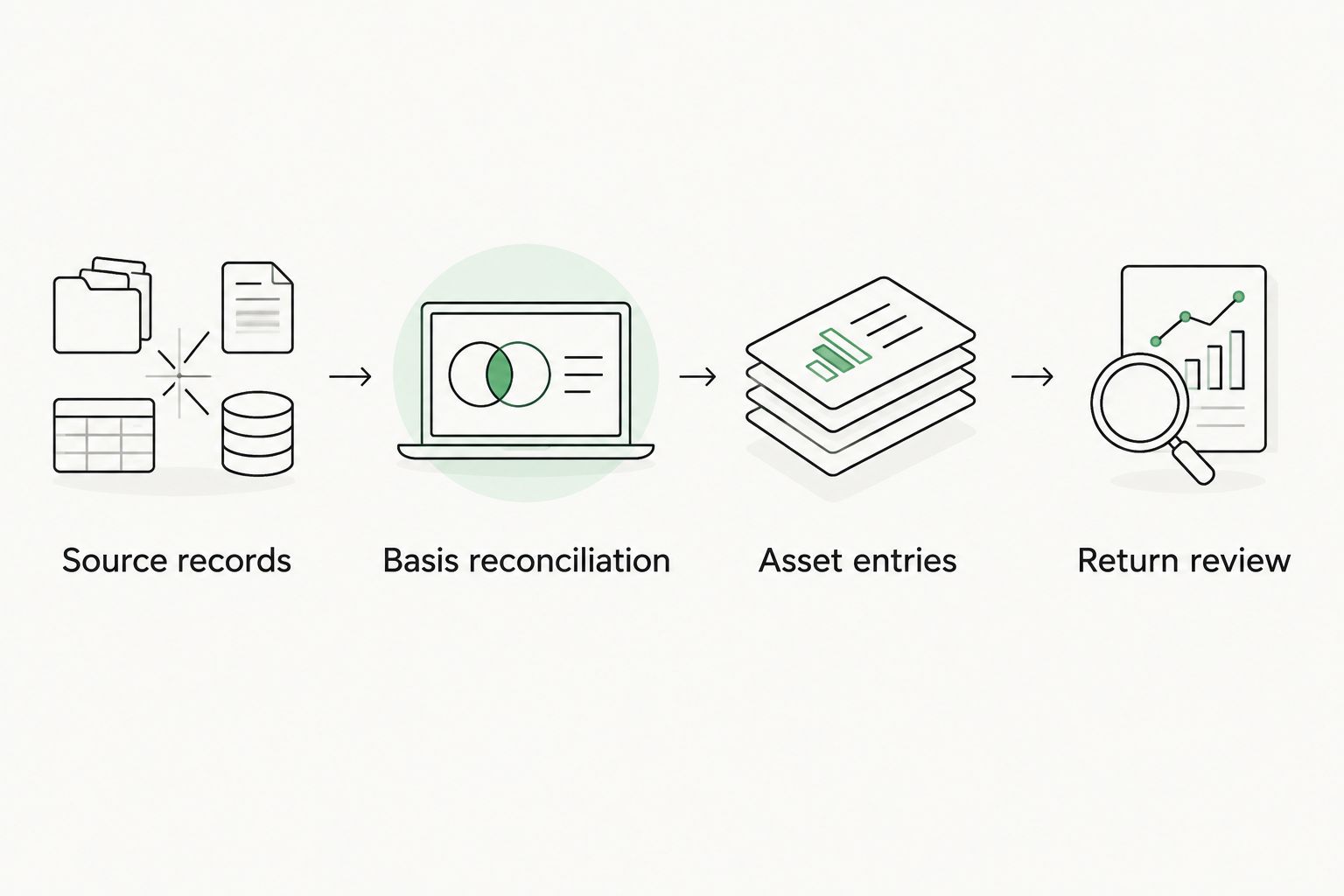
Prepare a reconciliation worksheet before opening depreciation input. Use these four checkpoints in order: Source records, Basis reconciliation, Asset entries, and Return review.
- Identify the property’s tax basis and separate nondepreciable land. Do not treat the mortgage balance, appraisal total, or current market value as a substitute for the supported tax basis.
- Match the study’s allocated costs to the depreciable basis used on the return. Resolve differences involving capitalized closing costs, improvements, ownership share, or personal use.
- Identify assets already on the depreciation schedule. Match those records to the study so appliances, furnishings, or improvements do not enter the return twice.
- Separate the remaining building basis from each supported short-life category. Preserve an asset-level trail from the study to the worksheet and then to Drake Tax.
Expected result: land plus all depreciable allocations reconciles to the supported property basis, with each cost included once.
Recovery periods are not interchangeable
For a long-term residential rental, the building generally uses a 27.5-year recovery period. For the short-term rental building treatment addressed here, average stays under 30 days, including the seven-day STR strategy, require review of 39-year nonresidential treatment. The fact that the property is a house does not settle its depreciation classification.
A study can identify eligible assets with 5-, 7-, or 15-year recovery periods. Classification depends on function and supporting documentation; an amenity’s name alone does not establish its recovery period. The building structure does not qualify for bonus depreciation.
2. Depreciation asset records
Use Drake Tax’s 4562 depreciation input screen to establish the asset records associated with the correct rental activity. Do not enter the report’s projected tax savings as an expense or depreciation amount.
- Open the taxpayer’s return and locate the appropriate rental activity. Confirm the property identity before adding depreciation records.
- Open 4562. For each asset or properly grouped category, enter a recognizable Description that ties back to the study’s schedule.
- Enter the supported allocated amount in Cost. Follow the field instructions for business-use adjustments rather than reducing basis and applying the same reduction again elsewhere.
- Set Method and Life from the applicable tax treatment. Review the placed-in-service date input, convention, business use, and prior depreciation using the installed screen help.
- Associate each record with the intended activity. Reconcile the revised building record and new component records to the basis worksheet before calculating the return.
Expected result: Drake Tax’s asset detail identifies the remaining building and reclassified components separately, without duplicating the original building cost.
Keep acquisition and service dates separate
The study completion date is not the asset’s acquisition date or placed-in-service date. A study completed in 2026 does not turn an older rental into newly acquired property.
Retain both dates in the workpapers even when a software field combines terminology or uses a shortened label. For replacement assets and later improvements, determine the relevant dates separately from the original house purchase. Do not assign one convenient date across the entire report.
Use grouping carefully
Separate records provide a clearer trail for later replacements and dispositions. Grouping reduces entry work but can make a future asset removal harder to trace.
Best for traceability: separate asset records with study references. Group only when the assets share the relevant tax characteristics and your workpapers preserve the underlying detail. Do not combine assets merely because they have the same recovery period if their dates, conventions, or elections differ.
3. Bonus depreciation settings
For a 2026 return, determine eligibility before accepting software defaults. The study identifies classifications; the preparer determines whether the taxpayer and assets meet the applicable requirements.
- Review acquisition documents, including binding-contract timing, and the placed-in-service evidence for each relevant asset.
- Apply 100% bonus depreciation only to otherwise eligible property acquired and placed in service after January 19, 2025. Both conditions matter; placing an older acquisition in service later does not satisfy the acquisition condition.
- Review any election out of bonus depreciation and its application by property class. Do not use an individual asset override as a substitute for evaluating the election requirements.
- Check state treatment independently. Federal bonus depreciation does not establish the state deduction.
Expected result: each eligible asset’s depreciation reflects its dates, classification, elections, and federal or state treatment, with the building excluded from bonus depreciation.
For a home bought before January 20, 2025 and converted to a rental later, conversion does not reset acquisition. It does not receive the restored full bonus rate; the applicable treatment depends on the purchase facts and requires CPA confirmation.
Cost segregation still accelerates deductions through shorter recovery periods when bonus depreciation does not apply. Do not force a bonus setting to reproduce a savings estimate.
4. Return review
Calculate the return only after the asset records reconcile. Review the depreciation detail and the resulting forms, not just the change in the refund or balance due.
- Compare asset costs, recovery periods, methods, conventions, and prior depreciation with the approved worksheet.
- Review Form 4562 and the depreciation schedules. Confirm where current depreciation flows and verify that the original building cost has not remained intact alongside the reclassified assets.
- Review the rental activity result and applicable loss limitations. For an individual return, reconcile the depreciation deduction with the relevant activity reporting and any passive-loss computation.
- Check state adjustments and diagnostic messages. Preserve the reviewed calculation, elections, study, and reconciliation in the tax file.
Expected result: the asset schedule, Form 4562, activity reporting, and supporting workpapers tell the same story.
The guide to how CPAs implement a cost segregation study on Form 4562 explains the reporting handoff beyond software entry.
A deduction is not automatically a W-2 offset
For the seven-day short-term rental strategy, average guest stays must be seven days or less and the taxpayer must materially participate. One commonly used test requires more than 100 hours and more participation than any other individual, including a property manager. Logging 100 hours alone does not satisfy that test.
Real estate professional status is not required for that particular STR approach. Other limitations still require review, and selecting depreciation settings does not establish qualification.
Second workflow: apply a look-back study
A look-back study addresses property already in service and depreciated on prior returns. Do not delete its depreciation history and restart the assets in 2026.
| Workflow | Best for | Main benefit | Main constraint |
|---|---|---|---|
| First-year implementation | Property first reported using the study’s classifications | Establishes the asset schedule before depreciation is filed | Requires complete basis and classification support |
| Look-back implementation | Existing rentals requiring an eligible accounting-method correction | Claims missed depreciation through the current-return adjustment | Requires historical calculations and Form 3115 analysis |
For an eligible look-back method change, missed depreciation is claimed on the current return with Form 3115; prior returns are not amended for that method change. The CPA must confirm eligibility, the applicable procedure, and filing requirements rather than treating every depreciation error as the same issue.
- Reconstruct depreciation allowed or allowable under the previous treatment.
- Calculate depreciation under the corrected classifications through the beginning of the change year.
- Reconcile the Section 481(a) adjustment separately from current-year depreciation.
- Establish continuing asset records without deducting the same catch-up amount through both prior-depreciation inputs and an additional expense.
- Complete the required Form 3115 filing and supporting statements under the applicable procedure.
Virtual Cost Segregation provides Form 3115 on request; the CPA handles filing. The study itself is supporting documentation, not a form filed with the IRS.
Expected result: current depreciation and the accounting-method adjustment remain separately identifiable, and the continuing schedule reflects the corrected treatment.
Troubleshooting
Depreciation jumps after adding components
Check for duplicate basis first. Compare the original building record with the reconciliation worksheet and verify that every reclassified dollar has been accounted for in the remaining building allocation. For a look-back change, correct the schedule through the approved method-change workpapers rather than simply overwriting historical amounts.
Bonus depreciation differs from the estimate
Review acquisition timing, placed-in-service dates, classification, elections, and business use. An estimate is not an instruction to override the tax calculation. Also confirm that the software installation contains the applicable updates.
Depreciation reaches the wrong activity
Review the asset’s activity association and the property identifiers. Two rentals with similar descriptions can have different ownership, participation, and loss-limit facts. Correct the association, recalculate, and inspect the destination schedule again.
Federal and state depreciation do not match
Review state conformity and state-specific asset adjustments. A difference is not automatically an input error. Maintain separate reconciliations so the state calculation does not inherit an unsupported federal assumption.
A look-back deduction appears twice
Trace current depreciation, prior depreciation, and the Section 481(a) adjustment independently. Remove any duplicate entry only after reconciling it to the method-change workpapers. Do not force the final total with an unexplained adjustment.
Customize your workflow
Build a reusable handoff worksheet with columns for study reference, asset description, allocated basis, dates, recovery period, method, convention, prior depreciation, and state differences. Add a reviewer sign-off after basis reconciliation and another after return calculation.
Virtual Cost Segregation’s residential cost segregation studies support the classification handoff; the CPA remains responsible for elections and return implementation. The service includes audit support, but it is not a CPA service.
For your next 2026 rental return, decide the first-year-versus-look-back question before entering assets. That decision controls more of the workflow than the software screen does.
FAQ
How do I enter cost segregation results into Drake Tax?
Enter the supported asset allocations through depreciation input, reconcile the remaining building basis, and review Form 4562 and the activity reporting. Do not enter the study’s estimated savings as an expense.
Which Drake Tax screen handles depreciation assets?
Drake Tax uses the 4562 depreciation input screen for asset records. Confirm field definitions and activity associations in the installed return module’s help before entering the study.
Can I leave the original building record unchanged?
Not if adding reclassified assets would duplicate costs already included in that building record. Reconcile the remaining building basis and preserve the appropriate depreciation history.
Does a cost segregation study automatically qualify assets for bonus depreciation?
No. Bonus eligibility depends on the asset classification, acquisition and placed-in-service dates, applicable elections, and taxpayer facts; the building structure does not qualify.
Do I amend old returns for a look-back cost segregation study?
For an eligible look-back accounting-method change, missed depreciation is claimed on the current return with Form 3115 rather than by amending prior returns. Your CPA must confirm that the method-change procedure applies.
Does Virtual Cost Segregation file my return or Form 3115?
No. Virtual Cost Segregation supplies the study and provides Form 3115 on request; your CPA handles return implementation and filing.
Will entering cost segregation in Drake Tax offset my W-2 income?
Software entry alone does not establish a W-2 offset. Your CPA must evaluate activity classification, material participation, and the applicable loss limitations.
One last thing
Review the remaining building basis before reviewing the deduction. A plausible tax result can hide duplicate asset costs, while a complete basis reconciliation exposes that error directly. Save that reconciliation with the final 2026 depreciation schedule.