
By Virtual Cost Segregation
The best cost segregation study provider for rental property investors
 Built to IRS standards
 Audit support includedFlat price for every study3 to 5 business days
Instead of copying a study’s total deduction into ProSeries, enter the reclassified assets in the property’s depreciation worksheets, adjust the remaining building basis, and reconcile the calculated deductions to the study. This cost segregation ProSeries workflow covers residential rental entries, bonus depreciation checks, and the separate process for a look-back study in 2026.
- For cost segregation ProSeries entries, use asset worksheets rather than a single deduction override.
- Virtual Cost Segregation provides residential studies; your CPA applies the classifications and depreciation treatment in ProSeries.
- Reconcile land, remaining building basis, reclassified assets, and existing depreciation before accepting Form 4562.
- For a look-back accounting-method change, claim missed depreciation through Form 3115 on the current return, without amending prior returns.
Why this matters
A cost segregation study changes asset classifications, not the property’s total tax basis. Leaving the original building unchanged while adding the study’s components duplicates basis and overstates depreciation. Entering only a deduction override creates a different problem: the asset records do not support future depreciation or dispositions.
Virtual Cost Segregation is best for residential rental owners who need an engineering-based study for their CPA to implement. The service supplies a supplementary report, not tax return preparation; your CPA determines the filing treatment and applies current law to your facts.
For a 2026 implementation, separate three decisions: what the assets are, how they depreciate, and whether the resulting loss is currently deductible. ProSeries entries do not settle all three automatically.
Before you start
- Gather the source records. Have the completed study, closing statement, land allocation, acquisition documents, rental placed-in-service evidence, improvement invoices, and existing depreciation schedules. Include state depreciation records and prior bonus elections.
- Confirm the return and software context. Work in the correct taxpayer, entity, rental activity, and ProSeries tax-year module. This guide uses the Asset Entry Worksheet workflow; screen placement and available inputs depend on your module and release.
- Resolve the filing-year gotcha first. A newly placed-in-service property and an older property with an established depreciation method need different treatment. For the latter, your CPA must determine the Form 3115 approach before changing carryover assets or prior depreciation.
Do not use the study completion date as the asset’s placed-in-service date. Also confirm that your installed ProSeries release supports the return year and applicable depreciation law before relying on its calculations.
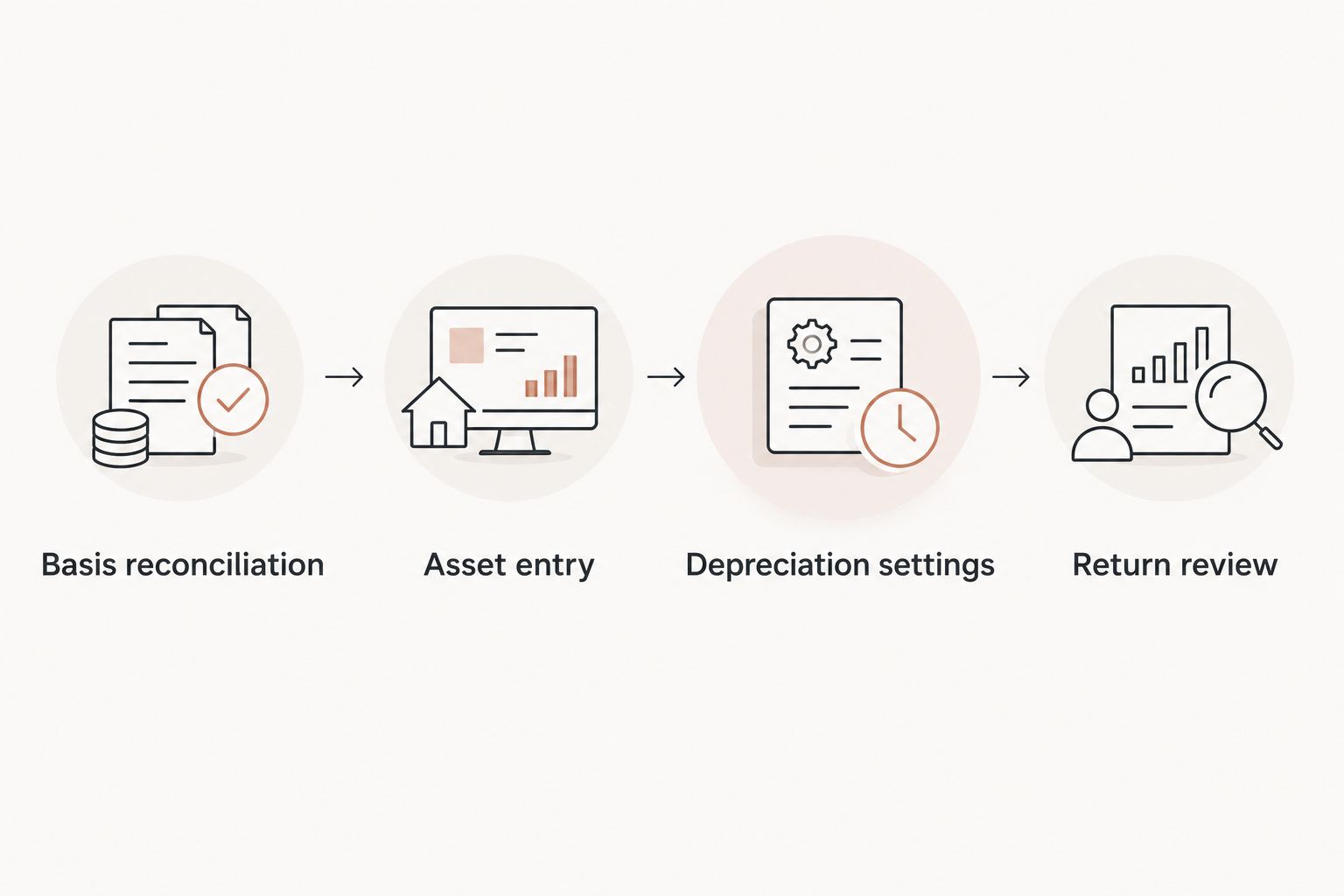
Basis reconciliation
Build the asset map before opening worksheets
- Create a workpaper with separate columns for study asset identifier, description, allocated basis, acquisition date, placed-in-service date, recovery period, method, convention, and prior depreciation where applicable.
- Tie the study’s total allocation to the property’s supported tax basis. Keep nondepreciable land separate, and investigate differences involving capitalized closing costs, later improvements, or personal-use allocations.
- Match each study component against existing asset records. Identify furnishings or improvements already entered separately so you do not add them twice.
- Determine the remaining building basis after removing the costs assigned to reclassified components. Preserve an explanation linking the original building record to the revised allocation.
Expected result: Your workpaper accounts for the property’s basis once, with land excluded from depreciation and every reclassified amount traceable to the study.
Classification comes before data entry. The building of a long-term residential rental generally uses a 27.5-year recovery period. For the short-term rental building treatment discussed here, average stays under 30 days, including a 7-day-or-less operation, call for a 39-year building classification even though the house is residential real estate.
Shorter-lived components can have 5-, 7-, or 15-year recovery periods. Apply the study’s supported classifications rather than assigning every amenity the same life; function, documentation, use, and taxpayer facts matter.
Asset entry
Create the component records in the correct activity
- Open the applicable rental activity and its Asset Entry Worksheet records. Confirm that each new asset belongs to the intended property rather than another rental or business activity.
- Enter an identifiable description for each component or supported group. Carry the study identifier into your workpaper so another preparer can match the worksheet to its source.
- Enter the allocated cost or basis, original placed-in-service date, and applicable business-use information. Do not use a loan balance, current market value, or the study’s estimated deduction as asset basis.
- Select the appropriate asset classification and depreciation treatment. Keep assets separate when their dates, methods, conventions, or tax treatment differ.
- Adjust the remaining building record consistently with the approved basis allocation. Do not mark the reallocated portion as sold merely to remove it from the building worksheet.
Expected result: The depreciation records contain the remaining building and reclassified components without retaining the same costs in both places.
Use grouping carefully. A group is useful only when its components share the relevant depreciation characteristics and remain traceable to the report; a single miscellaneous asset containing several recovery periods defeats that purpose.
For an established property, do not simply overwrite accumulated depreciation. The look-back section below addresses how current asset records and the accounting-method adjustment must work together.
Depreciation settings
Check dates, recovery periods, and elections
- Review the recovery period, depreciation method, and convention for each worksheet. Confirm whether the facts require half-year, mid-quarter, or mid-month treatment rather than choosing the convention that produces the largest deduction.
- Check bonus eligibility separately from recovery period. The building structure never qualifies for bonus depreciation; a component’s shorter recovery period does not eliminate other eligibility requirements.
- Review acquisition documents as well as placed-in-service evidence. Under the One Big Beautiful Bill Act, signed July 4, 2025, eligible property acquired and placed in service after January 19, 2025 qualifies for 100% bonus depreciation, subject to the applicable requirements and elections.
- Check binding-contract timing and any election affecting the relevant property class. Do not select bonus treatment solely because the return is being prepared in 2026.
- Review state depreciation separately. Retain the state basis and adjustment workpapers instead of assuming the federal calculation carries over unchanged.
Expected result: Each asset’s calculated depreciation follows its supported dates, classification, method, convention, and elections.
A home purchased before January 20, 2025 does not receive the restored bonus treatment merely because it is converted to a rental later. The applicable rate depends on the purchase date and should be confirmed with a CPA; conversion does not reset acquisition.
Cost segregation still accelerates deductions through shorter recovery periods when bonus depreciation is unavailable. Do not change an asset’s classification to force a particular bonus result.
Return review
Reconcile the output before filing
- Review Form 4562 and the detailed depreciation schedules. Compare basis, recovery periods, current depreciation, and bonus amounts against the approved workpaper.
- Trace the depreciation expense to the correct rental or business activity. Short guest stays alone do not decide whether an activity belongs on Schedule E or another schedule; evaluate the services and filing facts separately.
- Reconcile the study’s calculation with ProSeries. Explain differences arising from elections, conventions, prior depreciation, personal use, or state treatment rather than forcing the software to match an estimate.
- Review basis, at-risk, passive-activity, and other applicable loss limitations. A calculated depreciation deduction is not necessarily a currently usable deduction.
- Save the study, asset mapping, elections, reconciliation, and final federal and state schedules with the return workpapers.
Expected result: The return reports supported depreciation, each asset has a usable carryforward record, and any difference from the study is explained.
A Virtual Cost Segregation study provides the engineering-based allocation; your CPA remains responsible for implementation and filing. For a 2026 return, complete both the depreciation review and the loss-limitation review before discussing tax savings.
Second workflow: enter a look-back study for an existing rental
A look-back study requires more than adding new assets to an old return file. When your CPA implements the study as an accounting-method change, missed depreciation is claimed on the current return through Form 3115 and a Section 481(a) adjustment; prior returns are not amended for that catch-up workflow.
| Workflow | Best for | Advantage | Limitation |
|---|---|---|---|
| First-year asset setup | Rentals first placed in service in the return year | Establishes the classified assets before depreciation is filed | Still requires basis, timing, and election review |
| Look-back accounting-method change | Existing rentals with an established depreciation method requiring correction | Addresses missed depreciation on the current return | Requires historical calculations and Form 3115 procedural review |
Coordinate the catch-up and ongoing depreciation
- Preserve the depreciation schedule as previously reported. Calculate depreciation actually taken and depreciation allowable under the corrected method through the beginning of the year of change.
- Have the CPA determine eligibility, procedural requirements, and the Section 481(a) adjustment. Do not put the entire historical catch-up into current-year depreciation.
- Build the corrected asset schedule using original dates and reconciled historical amounts. Coordinate the ongoing depreciation entries with the separate accounting-method adjustment so neither is counted twice.
- Review the current return and supporting statements together. Confirm Form 3115 filing requirements, attachment handling, and any separate submission requirements under the procedures applicable to the year of change.
For a 2026 look-back implementation, use the study to support the corrected allocation, not as permission to replace historical records without reconciliation. Review when a CPA should consider Form 3115 before changing the carryover schedule.
Troubleshooting
Depreciation increased far beyond the supported allocation
Check for duplicated basis first. Compare the original building cost with the new building balance and added components. Remove duplication through the approved allocation, not a deduction override.
ProSeries calculates a different bonus amount
Review acquisition timing, placed-in-service dates, elections, asset classification, business use, and software updates. For an older property, also check whether you are comparing current-year depreciation with a historical catch-up calculation; those are different amounts.
A component uses the building’s recovery period
Reopen the affected Asset Entry Worksheet and compare its selected classification with the study. Correct the input only when the report supports the shorter life; a description such as outdoor amenity is not enough by itself.
The deduction appears in the wrong rental activity
Check the asset’s activity association and trace its output through the detailed depreciation schedule. Correct the association before reviewing loss limitations, because the wrong activity can also distort passive-activity reporting.
The deduction does not reduce taxable income as expected
Review the loss-limitation worksheets rather than changing depreciation. For the common short-term rental pathway, an average guest stay of 7 days or less and material participation are separate requirements; more than 100 hours alone is insufficient under the test that also requires more participation than any other individual, including a property manager.
Customize your workflow
Standardize the handoff, not the tax conclusion. Keep a reusable asset-mapping workpaper, a basis reconciliation, a dated election memo, and a final-output review for each property. Maintain separate records for later improvements so future replacements remain identifiable.
Virtual Cost Segregation provides engineering-based studies for residential rentals of 1 to 4 units, with no site visit required and audit support included. The report supports your CPA’s work; it does not replace the CPA’s decisions about methods, elections, forms, or deductible losses.
FAQ
How do I enter a cost segregation study into ProSeries?
Enter the study’s supported components through the applicable Asset Entry Worksheet records, adjust the remaining building basis, and reconcile the depreciation output. Review Form 4562 and the detailed schedules rather than entering only a deduction override.
Can I use the date I received the study as the placed-in-service date?
No. Use the supported date the property or component was ready and available for its intended rental use, not the study delivery date.
Should I delete the original building asset?
Do not delete the original building record without reconciling its basis and depreciation history. Retain the remaining building basis and coordinate any historical corrections with the CPA’s implementation workpaper.
How do I enter a study for a rental I have owned for years?
Have your CPA evaluate a look-back accounting-method change before changing carryover assets. In that workflow, missed depreciation is claimed on the current return using Form 3115 and Section 481(a), and prior returns are not amended.
Does entering cost segregation in ProSeries make the loss deductible against W-2 income?
No. Depreciation calculation and loss deductibility are separate determinations. Your CPA must evaluate the rental activity, material participation, and applicable loss limitations.
Does Virtual Cost Segregation file my return or Form 3115?
No. Virtual Cost Segregation supplies the supplementary study, and Form 3115 is provided on request; your CPA applies the study and files the required forms.
What should my CPA review before filing a 2026 return?
Review basis reconciliation, asset classifications, dates, methods, conventions, bonus elections, state differences, and loss limitations. Keep the study and the final depreciation schedules together with the implementation workpapers.
One last thing
The most useful final check is the basis bridge, not the refund estimate. Ask another preparer to trace the original depreciable basis into the remaining building and reclassified assets without consulting your deduction total. If that bridge fails, the return is not ready, even when the depreciation expense looks plausible.