
By Virtual Cost Segregation
The best cost segregation study provider for rental property investors
 Built to IRS standards
 Audit support includedFlat price for every study3 to 5 business days
Instead of manually copying a cost segregation depreciation schedule into Buildium, keep the CPA-approved tax asset register outside the property ledger and post only the entries your accounting policy requires. This 2026 workflow connects the study, depreciation workpapers, and property books without treating a tax deduction as a cash expense.
- For a cost segregation depreciation schedule Buildium workflow, keep tax calculations in the CPA-controlled asset register.
- Virtual Cost Segregation provides engineering-based studies for owners of residential rentals with 1 to 4 units.
- Post depreciation in Buildium only when your CPA approves the accounting treatment and journal entry.
- Reconcile property basis, prior depreciation, and current-year entries before closing the books.
Why this matters
Buildium bookkeeping and a tax depreciation schedule serve different purposes. Your property ledger tracks accounting activity; the tax asset register tracks basis, recovery periods, depreciation methods, elections, and dispositions. Copying a study's projected deduction into the ledger does not establish the correct tax treatment.
Virtual Cost Segregation provides the engineering-based report that your own CPA applies when filing. The study is supplementary documentation, not a tax return, and the provider does not replace your accountant.
Virtual Cost Segregation is best for residential rental owners who need an engineering-based study for CPA implementation. The benefit is component-level classification; the limitation is that your CPA must still evaluate eligibility, calculate the return treatment, and approve any bookkeeping entries.
For your 2026 close, establish which records control tax calculations and which control property reporting. That decision prevents duplicate depreciation, unsupported deductions, and unnecessary changes to operating reports.
Before you start
- Collect the source package. Have the final study, settlement statement, land allocation, improvement invoices, acquisition records, placed-in-service evidence, and prior depreciation schedules. Include personal-use information where applicable.
- Arrange access and approval. Obtain Buildium access sufficient to review the relevant property ledger and record accountant-approved entries. Your CPA needs the tax asset register and authority to decide the accounting treatment.
- Resolve the non-obvious issue first. Ask whether depreciation belongs in these property books at all. A tax deduction does not automatically belong in cash-basis operating reports or owner distributions, and a noncash entry must not change a bank balance.
Keep the final study separate from estimates. Virtual Cost Segregation estimates describe potential outcomes; actual classifications and tax benefits depend on the completed study and taxpayer facts.
Choose the reporting approach
Two adjacent workflows work here: maintain tax depreciation outside Buildium, or also record CPA-approved book depreciation in Buildium. Neither approach means entering every study component into the property ledger.
| Approach | Best for | Benefit | Limitation |
|---|---|---|---|
| External tax register | Owners whose property books do not include depreciation | Keeps tax calculations separate from operating bookkeeping | Requires a documented reconciliation outside Buildium |
| Approved ledger entries | Owners whose accounting policy includes book depreciation | Includes noncash depreciation in the applicable accounting reports | Requires account mapping and review of book-versus-tax differences |
Use the external tax register as the calculation record in either approach. Add ledger entries only when your CPA directs them. Do not change your accounting policy solely to make Buildium match a projected tax deduction.
Source package configuration
Establish the property record
- Identify the legal owner, property address, tax year, and corresponding Buildium property record. Resolve ownership or naming differences before posting anything.
- Record the acquisition date separately from the placed-in-service date. For a residential rental, readiness and availability for rental use matter; the study delivery date does not replace either date.
- Reconcile the study's analyzed basis to the CPA's depreciable basis. List land, capitalized acquisition costs, improvements, and separately purchased furnishings rather than forcing unexplained totals to agree.
- Identify prior depreciation already claimed. Give your CPA the filed schedules, not just an estimated accumulated balance.
- Save the approved source package with a clear version identifier. Use the same identifier in your reconciliation workpaper and journal-entry support.
Expected result: You have one identifiable property record and a documented explanation of the basis entering the tax schedule.
For a 2026 implementation, retain the original purchase and service dates even when the study is completed this year. A later study does not turn an older acquisition into a new purchase.
Do not use a mortgage balance, assessed value, or current market estimate as a substitute for the CPA-established tax basis. These figures answer different questions.
Tax register configuration
Map the study to depreciation workpapers
- Have your CPA create or update the detailed asset register using the final study. Preserve each component's description and its connection to the report.
- Record cost basis, acquisition date, placed-in-service date, recovery period, method, convention, prior depreciation, and current depreciation. Keep federal and state calculations distinguishable when their treatment differs.
- Separate the remaining building basis from shorter-lived components. Land is not depreciable, and the building structure does not qualify for bonus depreciation.
- Ask your CPA to evaluate bonus eligibility and elections using the acquisition facts, service date, and applicable law. Do not choose a rate from the year printed on the study.
- Obtain the approved depreciation output and a separate book-versus-tax reconciliation if your accounting policy requires different amounts.
Expected result: The CPA-controlled register calculates depreciation, while the study supports the component classifications.
The building of a long-term residential rental generally uses a 27.5-year recovery period under the general depreciation system. Shorter-lived components can use 5-year, 7-year, or 15-year periods when their classifications support those lives. Do not assign a recovery period solely from an item's name.
Short-term rental use requires separate building-classification review. Do not automatically copy a long-term rental's building treatment to an Airbnb property; have your CPA evaluate the property's actual use.
Buildium ledger configuration
Prepare the approved entry
- Open Accounting and review the property's General ledger. Check for existing depreciation entries before adding another adjustment.
- Ask your CPA to identify the depreciation expense and accumulated depreciation accounts, if ledger depreciation is required. These are accounting descriptions, not prescribed Buildium account names.
- Prepare an entry worksheet showing the posting date, property, account, debit, credit, description, and supporting schedule version. Use the CPA-approved book amount, which is not automatically the tax deduction.
- Record the approved general journal entry using your account's journal-entry controls. For an ordinary depreciation entry, the usual structure debits depreciation expense and credits accumulated depreciation; catch-up or correction entries require separate CPA instructions.
- Include a reference to the approved workpaper in the entry description. Do not select a bank account simply because a journal-entry screen requires account allocation.
Expected result: The required noncash entry appears against the correct property, with equal debits and credits and no bank movement.
Menu access depends on your permissions and account configuration. If the journal-entry controls are unavailable, have your administrator confirm access rather than entering depreciation as a bill, payment, or bank transaction.
Do not assume a study spreadsheet is a Buildium import file. This workflow uses a reviewed accounting entry, not an unverified component-level import or automatic connection.
Reconciliation configuration
Verify the posting and close
- Review the property's general ledger for the posting period. Match the entry to the signed-off worksheet, including property allocation and date.
- Check that depreciation expense and accumulated depreciation reflect the approved entry. Confirm that bank balances, tenant charges, and actual payments have not changed because of the adjustment.
- Reconcile the external asset register to the relevant ledger balances. Explain book-versus-tax differences instead of eliminating them with an unsupported adjustment.
- Review the reports used for owner distributions. Confirm that noncash depreciation does not become an instruction to pay or withhold cash without an approved policy.
- Save the reviewed reports, entry support, final study, and CPA approval together. Follow your established closing controls to prevent accidental reposting.
Expected result: Every depreciation-related ledger entry traces to an approved workpaper, and every intentional difference has an explanation.
For the 2026 close, record who approved the calculation and who posted the entry. Keep those responsibilities distinct even when one person performs both tasks.
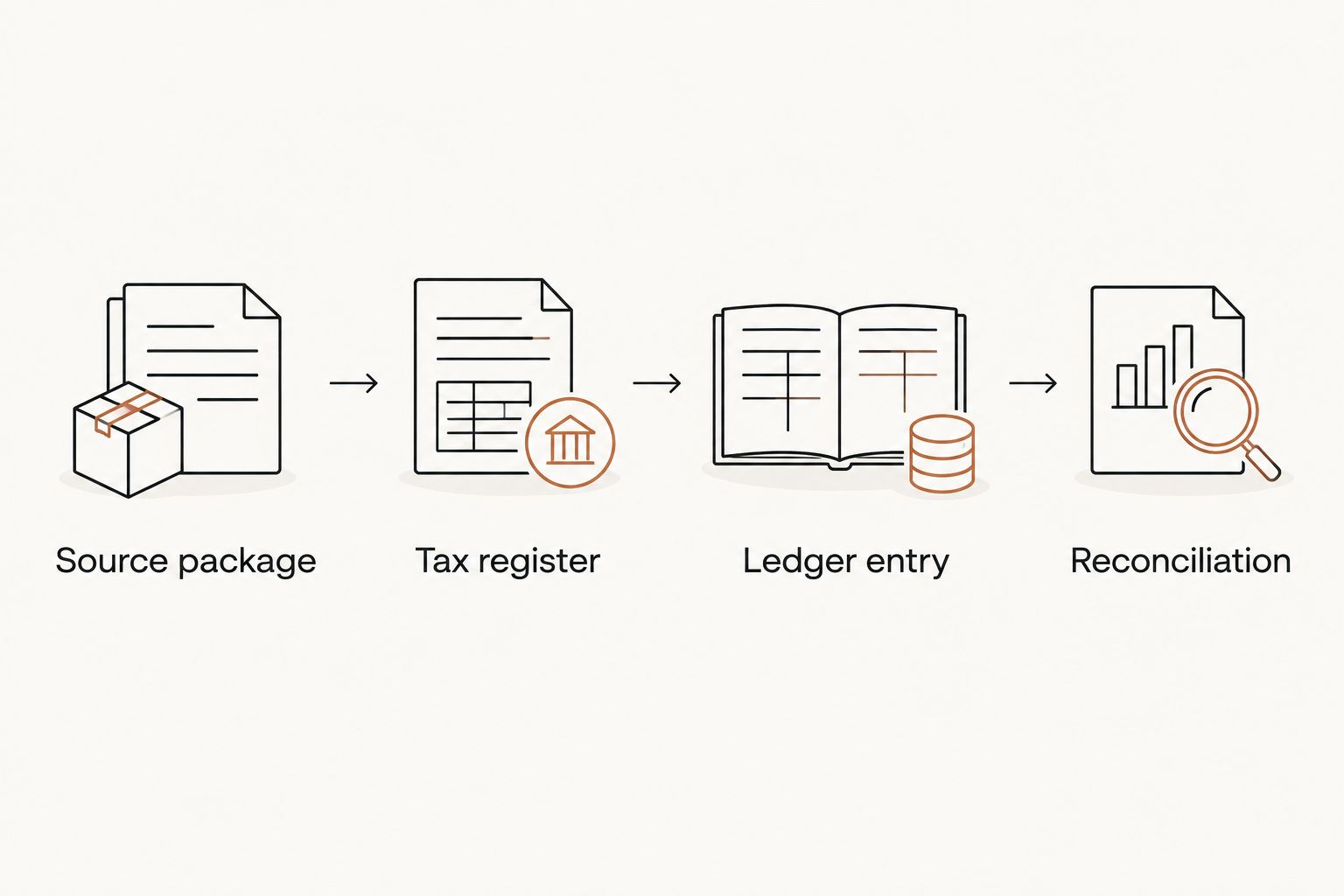
The handoff follows a simple sequence: source package, tax register, ledger entry, then reconciliation. Finish each stage before moving to the next.
Update the workflow when the schedule changes
A new improvement, corrected study, or asset disposal creates a second workflow: update the external register first, then determine whether Buildium needs an adjustment. Do not overwrite the original support and lose the history.
- Identify the event and supporting invoice or revised report. Separate a new asset from a correction to an existing asset.
- Have your CPA update basis, service dates, depreciation, and any disposition treatment. A replacement does not automatically establish that the old component's remaining basis is deductible.
- Compare the revised approved amount with what was already posted. Prepare only the required difference, not a second copy of the full annual charge.
- Record the approved adjustment and repeat the ledger reconciliation. Preserve both the original and revised workpapers.
Best for: Owners adding improvements or implementing a revised schedule after an initial posting. The benefit is a clear change history; the trade-off is another approval and reconciliation cycle.
For a look-back study involving an accounting-method change, missed depreciation is claimed on the current return with Form 3115 rather than by amending prior returns. Your CPA determines and files the applicable Form 3115 and Section 481(a) adjustment. Do not copy that tax adjustment directly into current operating expenses.
Troubleshooting
The ledger total does not match the tax schedule
Fix: Reconcile scope before changing numbers. Check land, separate furnishings, personal use, prior depreciation, state differences, and book-versus-tax treatment. A legitimate difference needs documentation, not a balancing entry.
Depreciation reduced the bank balance
Fix: Identify the cash-side transaction and have your accountant correct it through the proper reversal process. Ordinary depreciation is noncash; do not use a bank payment to record it.
The annual charge appears twice
Fix: Search the property ledger for an earlier annual entry, monthly postings, and imported opening balances. Reconcile the total already recorded, then post only the CPA-approved correction.
The entry appears on the wrong property
Fix: Review property allocation on every entry line and obtain approval for the correction. A portfolio-wide total can balance while individual property reports remain wrong.
The tax deduction was mistaken for spendable cash
Fix: Separate the tax calculation from cash forecasting. Depreciation reduces taxable income subject to applicable limitations; it does not create rental receipts or establish an owner distribution amount.
Customize your workflow
Expand the reconciliation before adding automation. Track additions, disposals, basis changes, and study revisions in the external register, then define which events require an accountant-approved Buildium adjustment.
Use a consistent review checklist across residential properties, but keep each property's dates, ownership, and tax treatment separate. A shared template is useful; copied tax assumptions are not.
Virtual Cost Segregation provides engineering-based residential studies built to the IRS Audit Technique Guide's criteria, with no site visit required. Your CPA applies the report to the return and decides how the resulting tax workpapers relate to your books.
For a 2026 implementation, agree on the handoff before ordering: who supplies the records, who approves basis, who calculates depreciation, and who posts any ledger entry. This is general educational guidance, not individualized tax advice; apply current law to the taxpayer's facts.
FAQ
How do I use a cost segregation depreciation schedule with Buildium?
Keep the detailed tax asset register with your CPA and enter only the bookkeeping adjustments your CPA approves in Buildium. Reconcile the property ledger to the approved workpapers after posting.
Should I enter every cost segregation component into Buildium?
Not by default. Maintain component-level tax detail in the external asset register, and let your CPA determine the level of ledger detail required by your accounting policy.
Can I use the study's projected tax deduction as book depreciation?
Only if your CPA confirms that amount is appropriate for your books. Tax depreciation and book depreciation can differ, so retain a reconciliation instead of forcing the figures to match.
Does depreciation change my rental property's cash balance?
No, depreciation itself is a noncash expense. A depreciation entry that changes a bank balance needs accounting review and correction.
What happens if the study covers missed depreciation from earlier years?
For a look-back accounting-method change, your CPA claims missed depreciation on the current return using Form 3115 and the applicable Section 481(a) adjustment; prior returns are not amended. Your CPA separately determines the correct bookkeeping treatment.
Does Virtual Cost Segregation file my return or enter the report into Buildium?
Virtual Cost Segregation supplies the supplementary engineering-based study, not a CPA service. Your own CPA applies the report when filing, and your authorized accounting team handles ledger implementation.
Should cash-basis property books include depreciation?
Do not add depreciation automatically to cash-basis property books. Ask your CPA which reporting basis and owner-reporting policy apply before recording a noncash adjustment.
One last thing
A matching total is not proof of a correct workflow. The wrong property allocation or an unexplained opening balance can still produce equal debits and credits. Before closing, trace the depreciation entry back to its approved schedule and confirm that no cash account moved.